
 Legacy guideTEPS X Share (legacy)
Open legacy TEPS when Gatekeeper blocks it
These instructions apply to trusted TriPrism software downloaded through the official software or update site.
In this article
Gatekeeper instructions
Legacy documentationThis procedure is preserved for systems that still run this software or hardware generation. Confirm the application and macOS version before making changes.
Apple's Gatekeeper may attempt to prevent installation
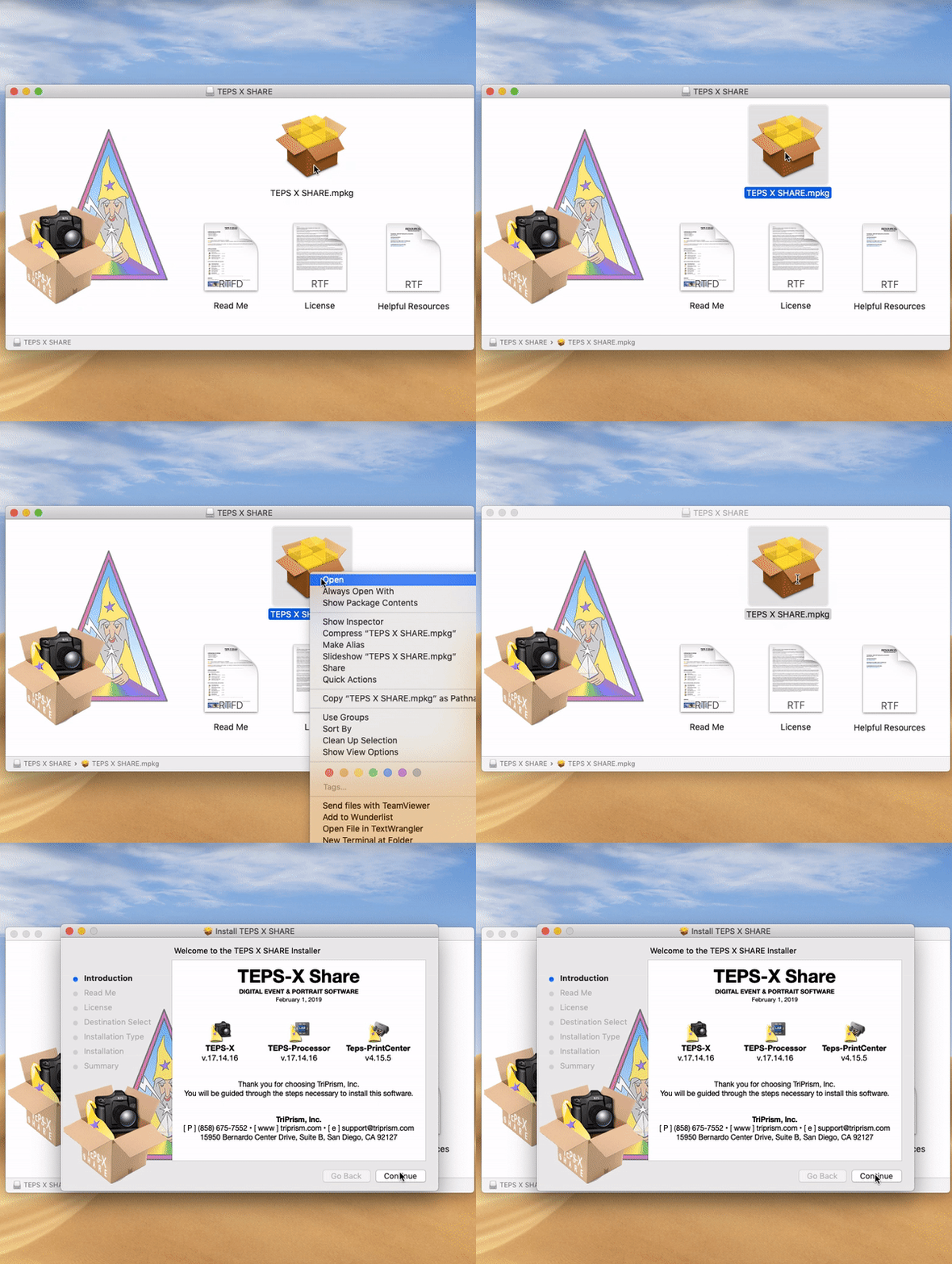
Gate Keeper: Unsigned InstallerBecause we do not use the App store to deliver TEPS-X Share, Apple's Gatekeeper may attempt to block the installation of TEPS-X Share. To tell Apple's Gatekeeper to trust our installer, right click on the installation package, then press and hold the "option/alt" key, and finally click open.
Alternatively, if you attempt to open the bundle and Gatekeeper blocks then installation, you can go to System Preferences > Security & Privacy > then click "Allow"
Did this article solve the issue?I still need help →