
 Setup guideLicensing & updates
Activate a TEPS license
Keep the purchase invoice and license key available, then complete activation from the TEPS welcome screen.
In this article
Activation steps
-
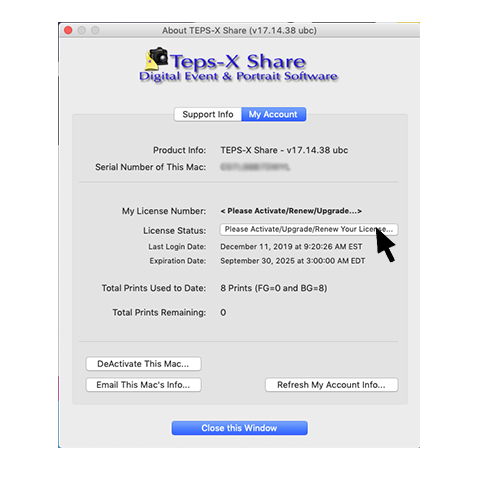
Click the center of the TEPS welcome screen near the product name.

-
Select “Please Activate/Upgrade/Renew Your License.”
-
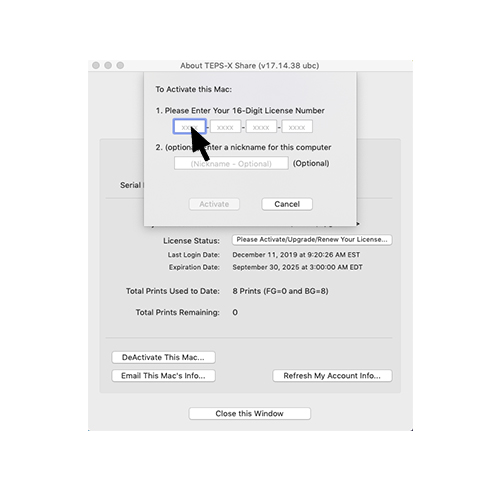
Enter the license key from your TriPrism purchase invoice.
-
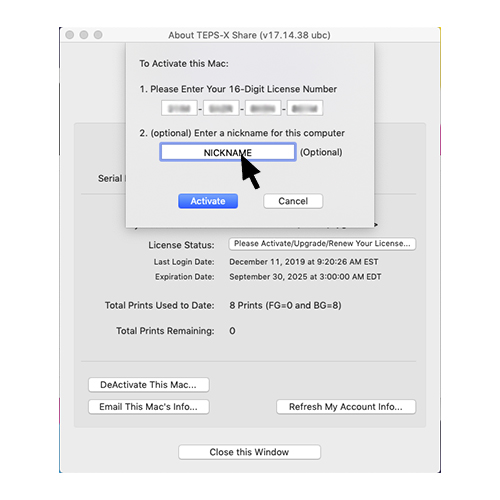
Optionally give the computer a descriptive nickname, then select Activate.
-
Confirm the message showing that the new key was created.

-
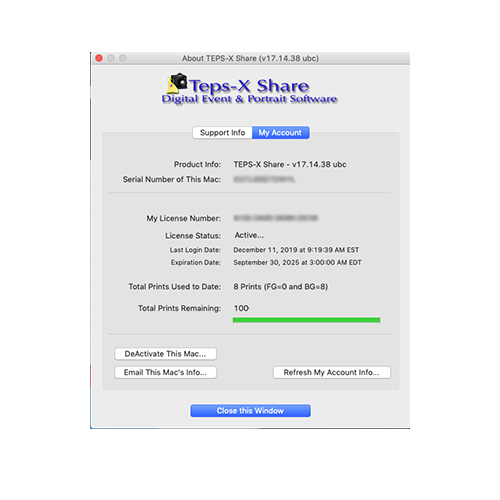
The license screen refreshes with an Active status and a green bar.
Did this article solve the issue?I still need help →