
 Setup guideTEPS TriPrism
Install and set up TEPS TriPrism
Use a full installer for a new workstation and preserve a copy of the existing TriPrism data before upgrading an active production computer.
In this article
Install the application bundle
-
Download the installer supplied by TriPrism and open the disk image.
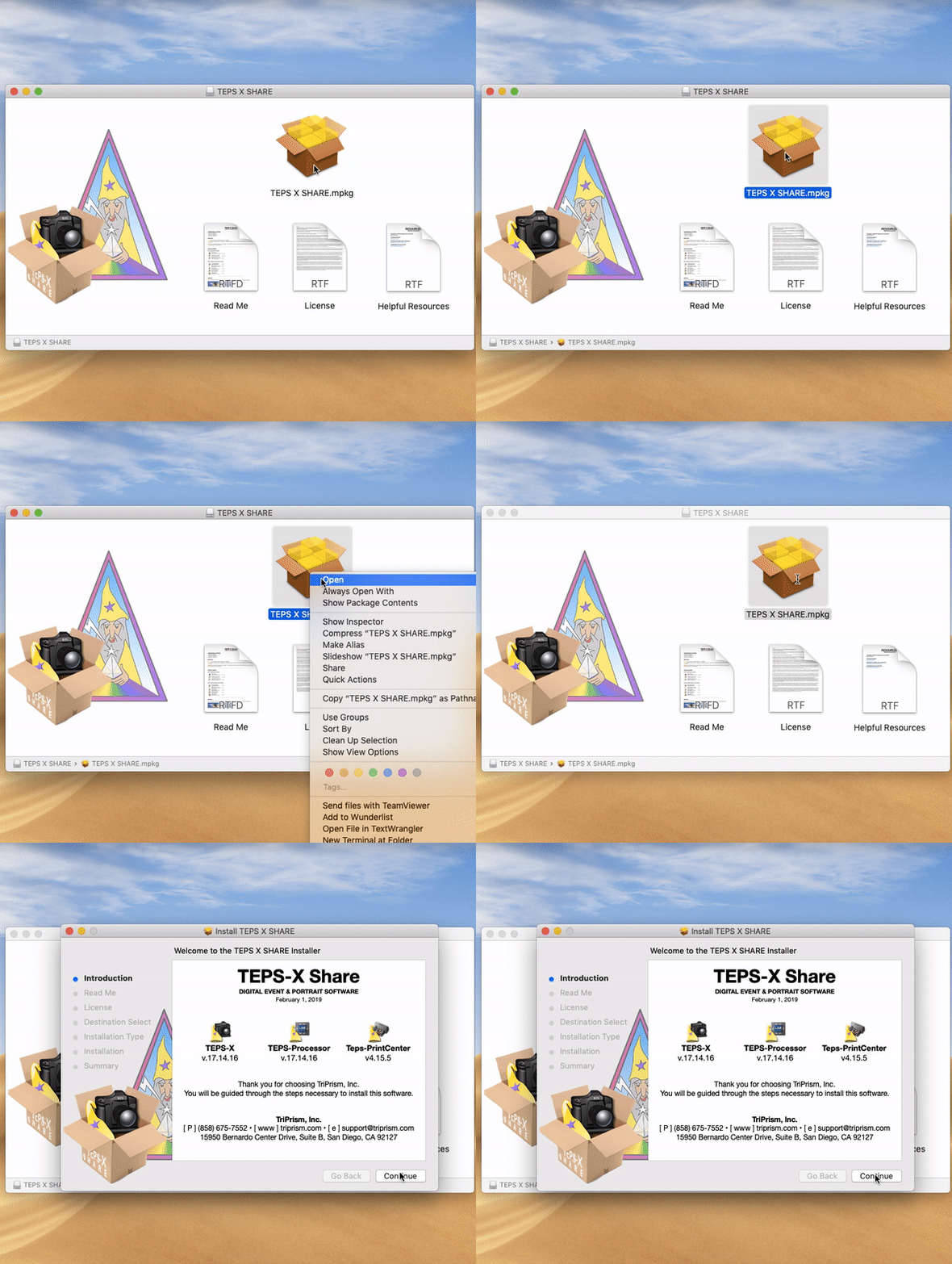
-
Drag the TEPS application bundle into the Applications folder.
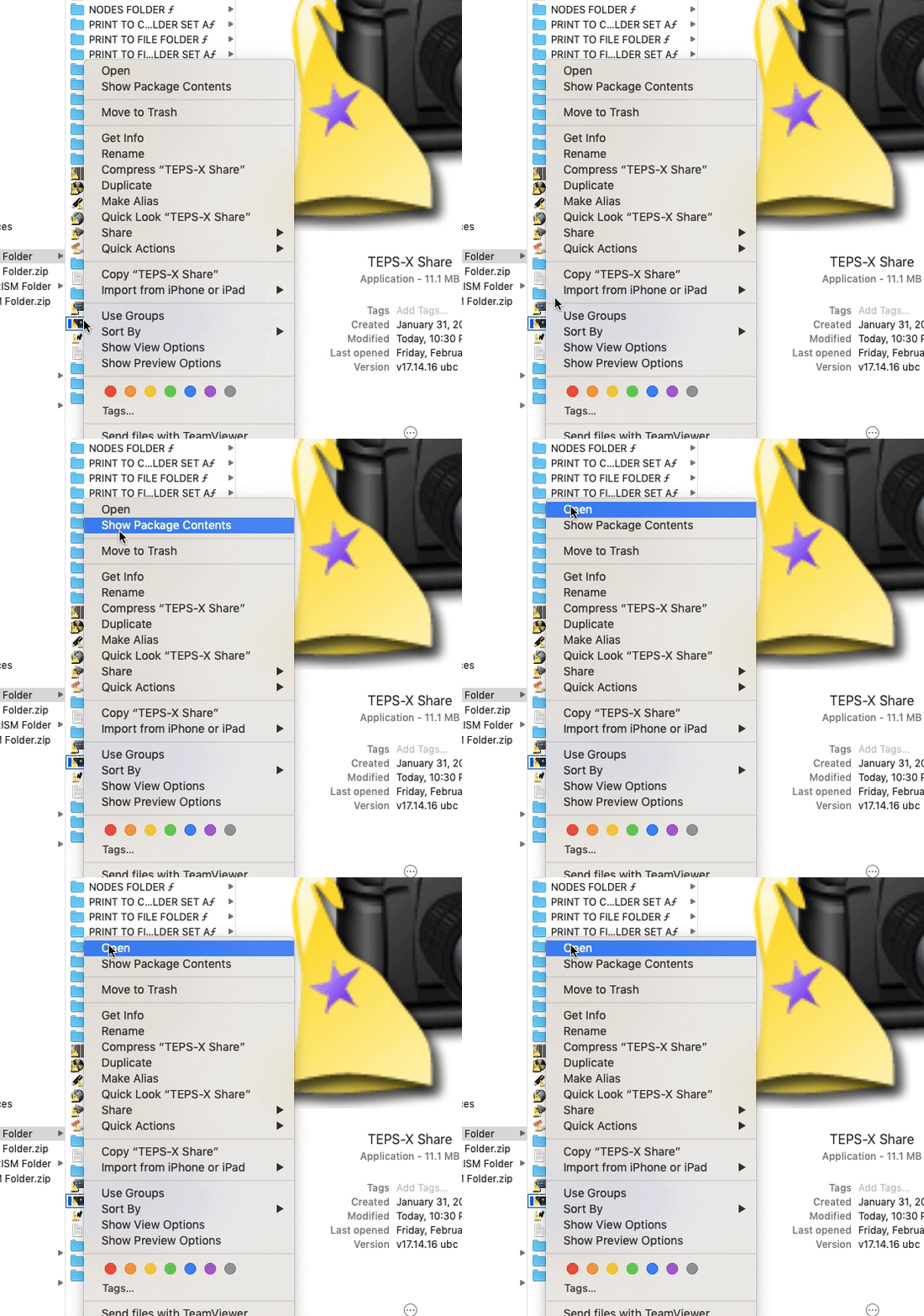
-
Open TEPS from Applications and complete the initial setup prompts.
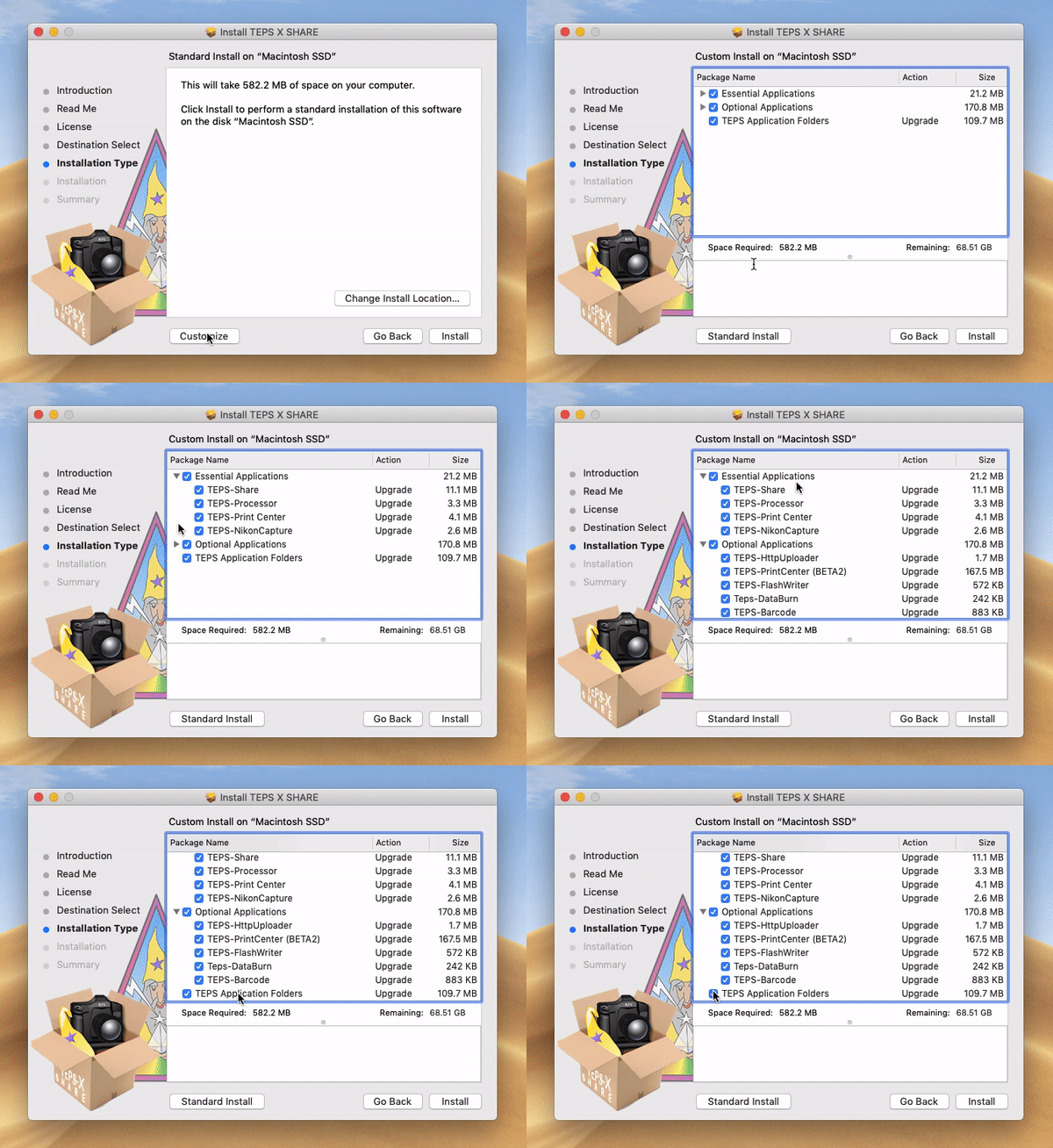
Before production
- Activate the license.
- Confirm camera and printer compatibility.
- Restore or create packages and templates.
- Run a complete capture-to-print test with non-production images.
Did this article solve the issue?I still need help →